Cognician Messaging System
JAN 2024 - SEP 2024
The Cognician activation platform features a messaging system that allows program facilitators to send automated nudge messages to participants. We redesigned this system from the ground up.
Introduction
The Cognician activation platform features a messaging system that allows program facilitators to send automated nudge messages to participants. Originally, this system was been built piece by piece over years to accommodate client needs as they arose.
Unfortunately, very little design thinking has gone into the system and it became bloated and very hard to use.
A how-to example video:
The Problem
When development on the system first began it was considered as a secondary system to support the main features of the platform. Because it was developed over time as needs arose very little thought was given to the user interface. Client demand for nudge messages soon rose as they saw the value in it with their participants.
- The system was cumbersome and hard to reason about.
- High learning curve.
- Messaging campaigns where hard to configure and time consuming.
- Required skilled people who were familiar with it to develop messaging campaign.
- Some feature were obsolete and weren’t being used anymore.
Business Goals
Cognician, a SaaS B2B activation consultancy, is aiming to revamp the entire platform with the ultimate goal of releasing self-service authoring tools to their client base.
Over the past few years our Exco team along with senior software engineers have been redesigning the architecture of the software. They have decided to implementing the latest architecture in phases starting with the messaging system.
Starting off with the messaging system our goals were:
- Develop the underlying building blocks of the latest architecture relating to the messaging system only.
- Design and develop a front-end architecture and UI environments with high reuse and scalability capabilities.
- Design and develop a first iteration of the messaging experience using the latest architecture for use internally.
- MUST achieve parity with features of the existing system to minimize disruption of consultant teams and their ongoing work.
User Research
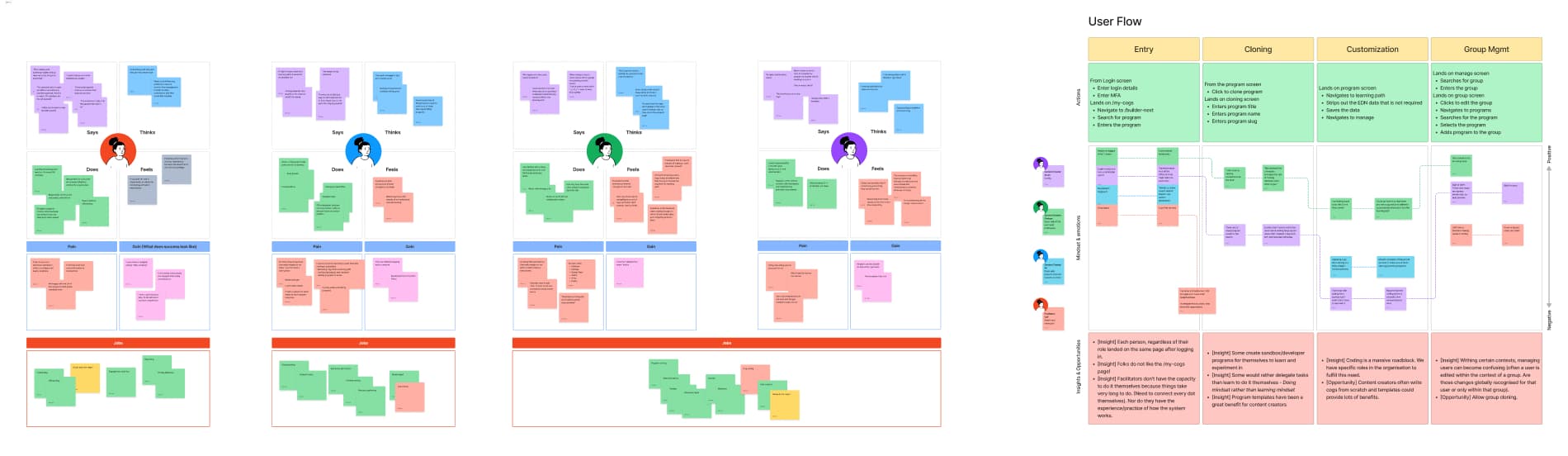
When starting work on the revamp we were targeting our own internal teams with the aim of expanding the user base to our clients in the future.
Learning experience designers
Instructional designers who are skilled at designing learning materials using the Cognician methodology who wants to design messaging campaigns by themselves so they can make revisions on-the-fly.
Project and Account managers
Project and Account managers that deal directly with clients who wants to share high fidelity message previews with clients in order to shorten review cycles.
Proposed Solutions
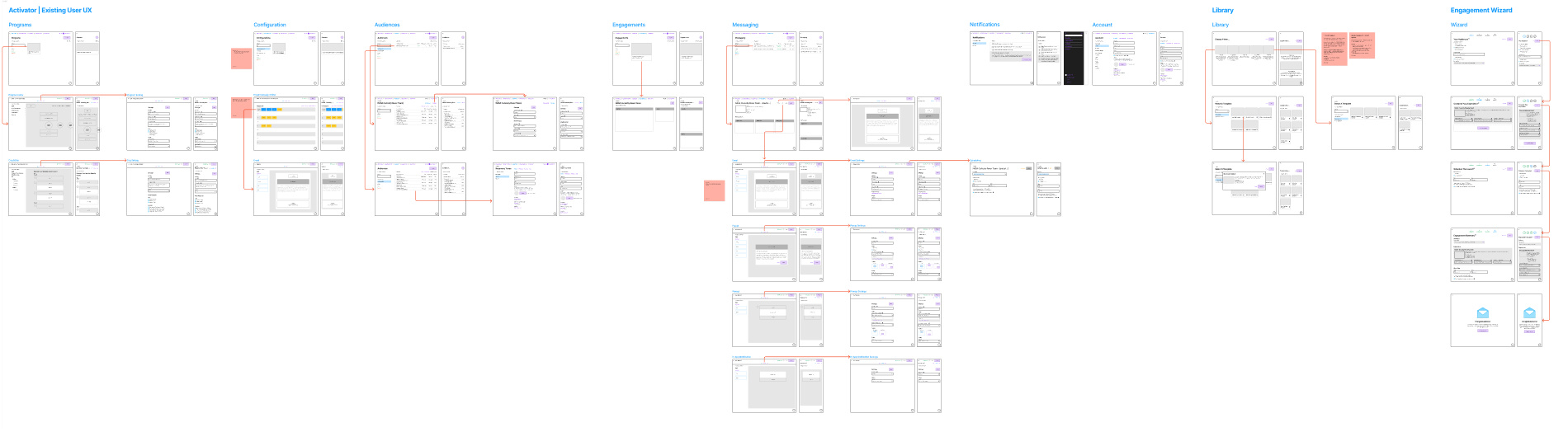
The latest software architecture is a fundamental change from what consultants knew and introduced a few new concepts. But, since we were only focusing on the messaging system there were upsides and downsides.
- On the upside, we could stagger the introduction of these concepts over different phases that would only take place later
- On the downside, we had to “graft” the latest architecture into the previous one. This would leave us with a lopsided overall experience for a while until we start development of later phases.
New concepts that would be introduced in this phase where:
- Experiences:
An Experience is one or more programs. This would impact the dynamic of how consultants think about deploying programs to clients. In the past, consultants would onboard client participants to a user group and give them access to activation programs directly. In the latest architecture, Experience are deployed to participants. Experiences themselves could also be redeployed to different user groups without impacting data gathering. - Arrangements:
Arrangements can be thought of as variations of a programs content. In the past, a program had a single set of content. Clients often want to use an off-the-shelf program but make small changes to it. That would require having to duplicate the entire program. Arrangement allow a program to have multiple variations of content. In the future, Arrangement will allow us to run multi-variant testing on programs.
Greater re-usability of messaging campaign configurations
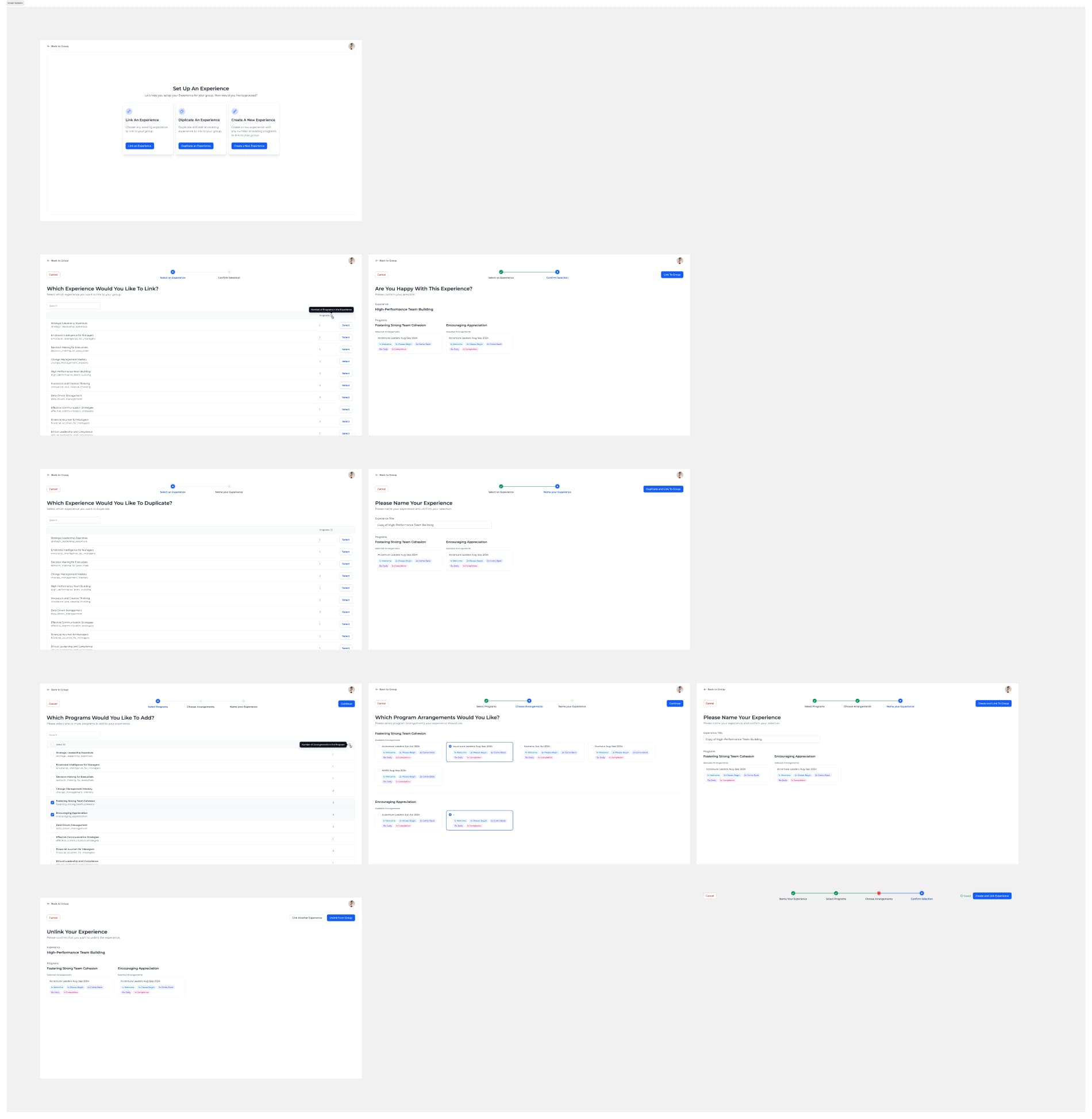
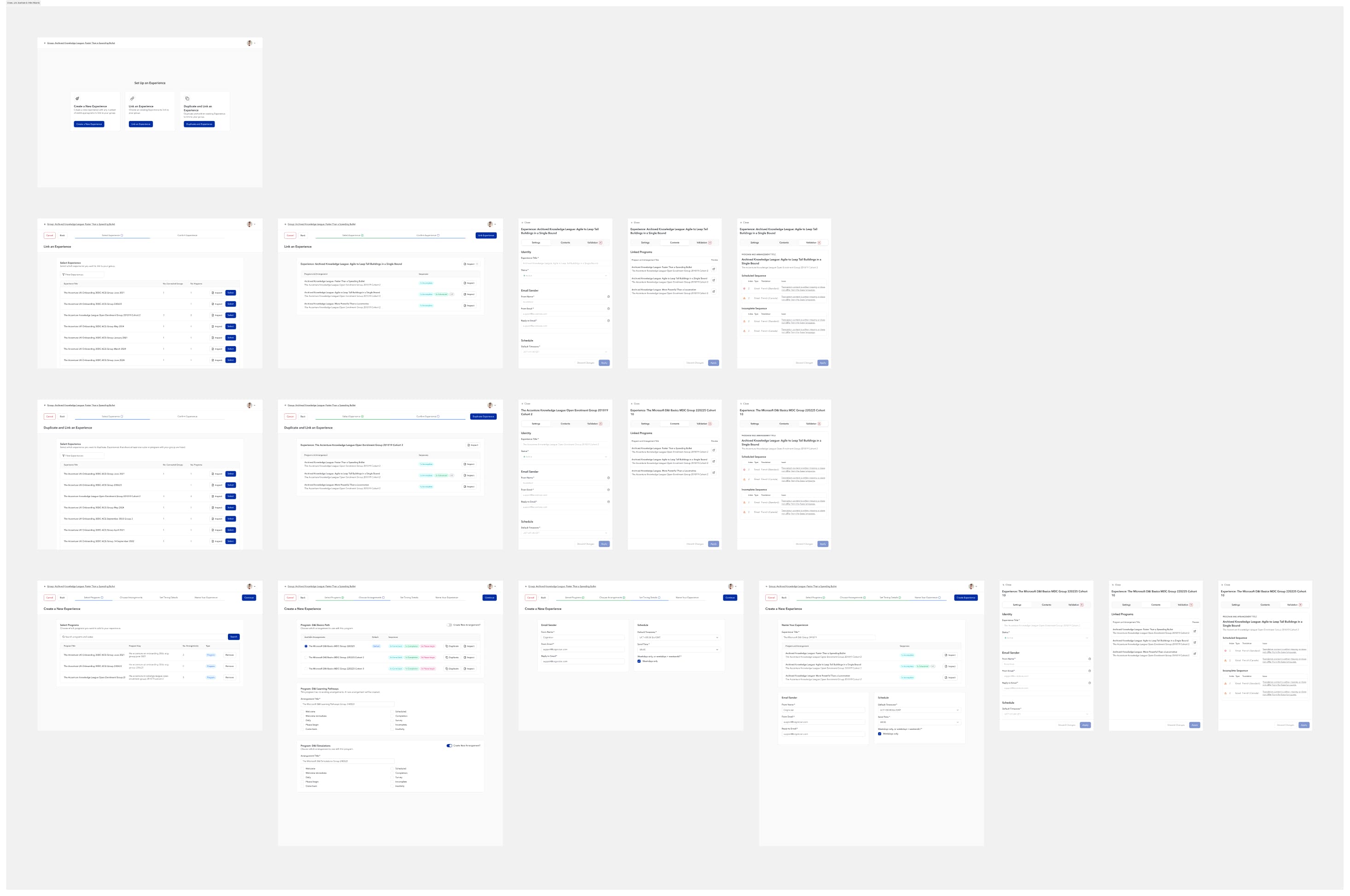
The messaging system had a feature that we called a “One-click master template”. This allowed consultants to create a single master template of a messaging campaign configuration. The new Arrangements architecture would allow us to create multiple templates that could easily be re-used.
The One-click Master Template feature would be replaced by a wizard UI that would make it easy to Link, Unlink, Duplicate and Create Experiences by choosing one or more programs and each of their available Arrangement:
Simplified authoring and reviewing experience
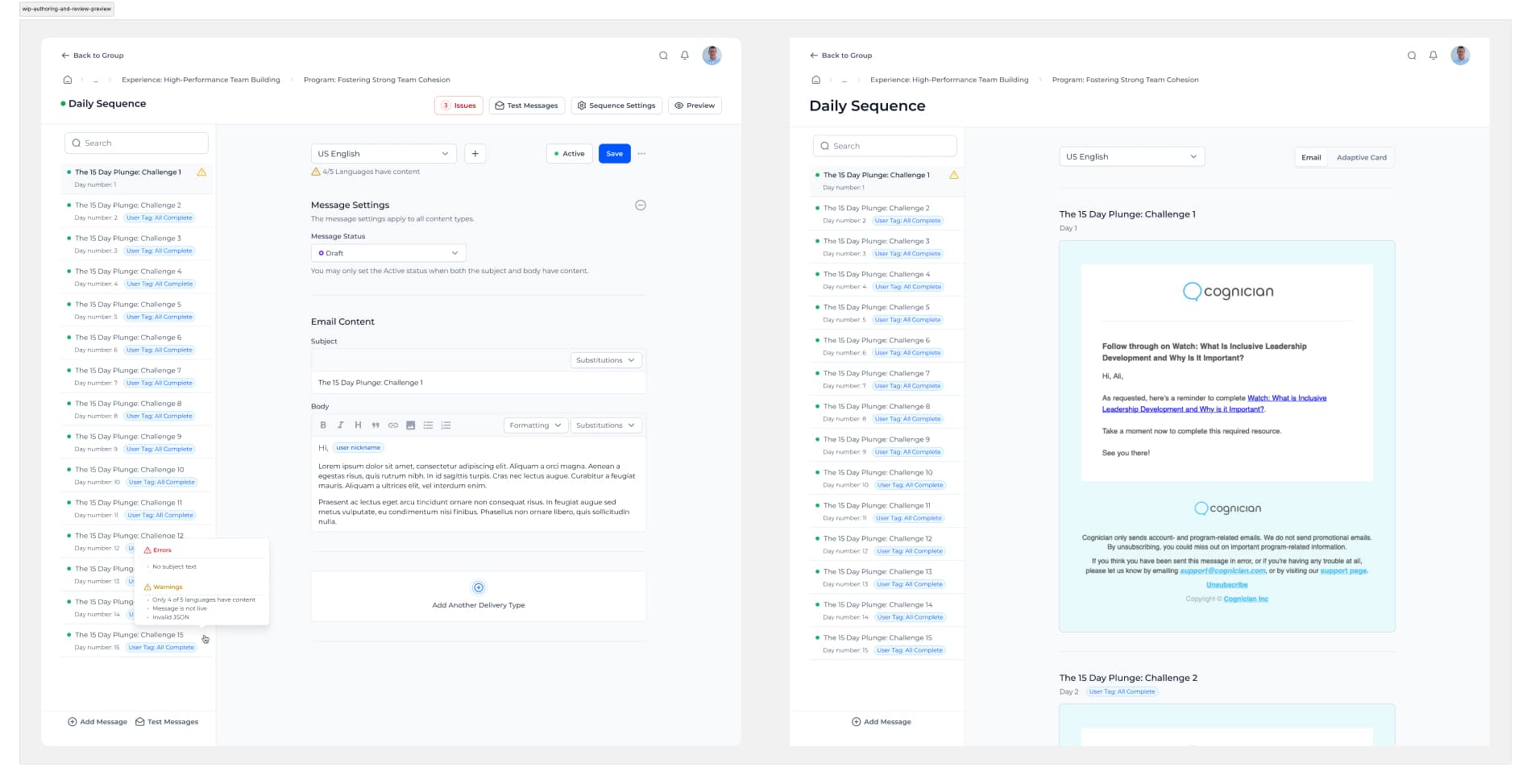
The message campaign authoring experience had been a major pain point for consulting teams. It was a lot of clicking, a lot of back and forth and the majority of the time spent by consultants was just navigating between campaigns and messages.
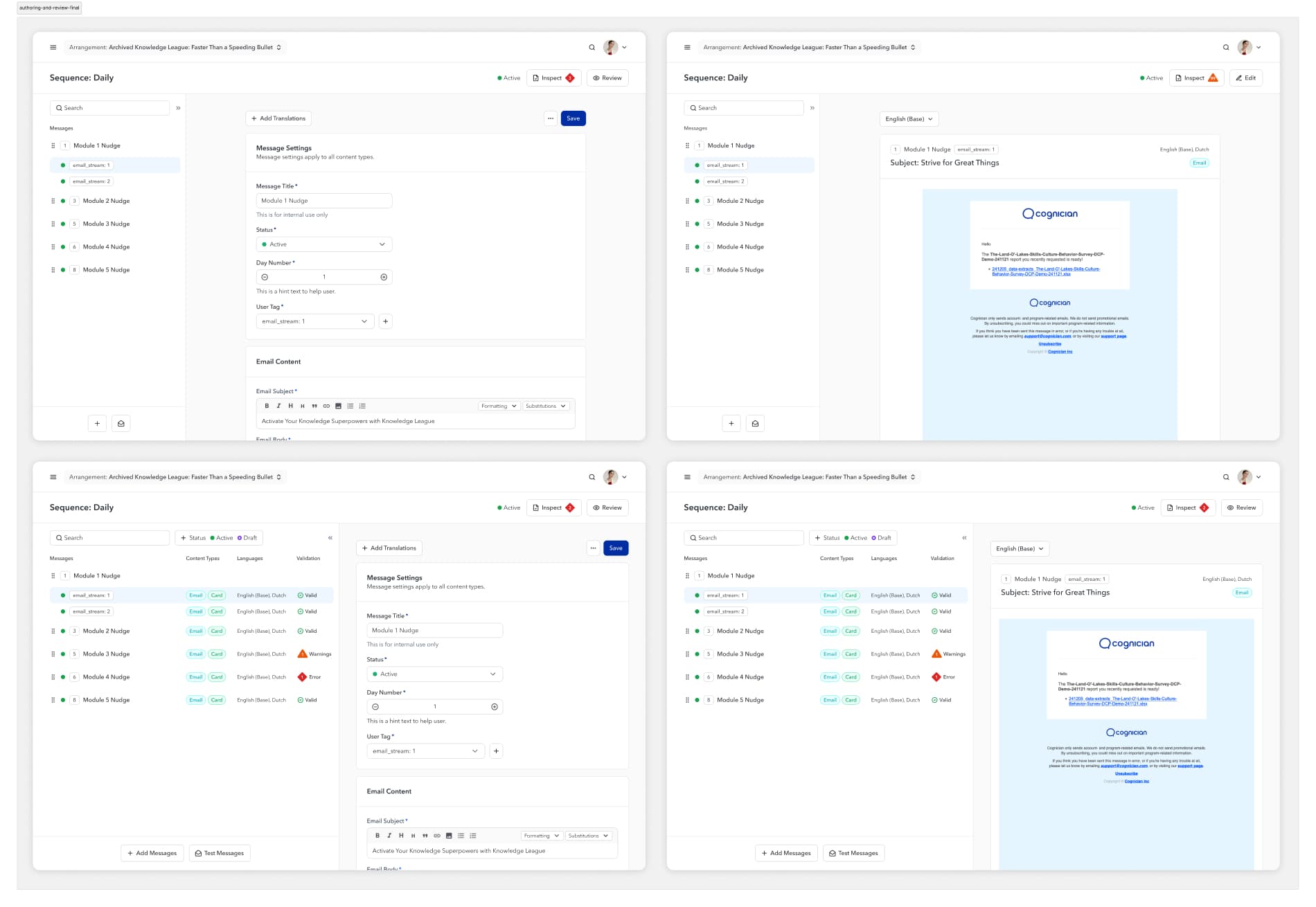
I designed this experience so consultants can edit all the messages in a campaign along with the campaign configuration from a single screen. Then review all the message in a campaign at at the same time as well.
User Acceptance Testing
Because of the new software architecture we had to do a bit of upfront explainers and walkthroughs to onboard consultants but much of this was done a few months leading up to the testing.
Overall is was very well received.
What didn’t work
- Creation of Experiences through a wizard UI only allowed for selecting Arrangements that was already finalized and wanted a way of creating a new Arrangements on-the-fly.
What did work
- Testers were excited with how the UI was shaping up and had tons of feature ideas for later phases.
- Testers were very happy with the Authoring and reviewing experiences. Jaw-dropping reactions at how the Reviewing UX worked. That made us very happy.
Final Designs
After User Acceptance Testing while working through feedback we also simplified a lot of the UI.